'use client';

import {
  AlertDialogCancel,
  AlertDialogContent,
  AlertDialogHeader,
  AlertDialogTitle,
  AlertDialogTrigger,
} from '@/components/ui/alert-dialog';
import {
  IconCreditCard,
  IconCurrencyBitcoin,
  IconSwitchHorizontal,
  IconX,
} from '@tabler/icons-react';
import { AlertDialog } from '@radix-ui/react-alert-dialog';
import React from 'react';
import InputTextField from '@/components/ui/InputTextField';
import { Button } from '@/components/ui/button';
import { cn } from "@/lib/utils";
import { useWallet } from '@/app/context/WalletContext';

type Props = {
  trigger: React.ReactNode;
  depositAddress: string;
};

type LetsExchangeQueryParams = {
  affiliate_id: string;
  is_iframe: boolean;
};

type GuardarianQueryParams = {
  partner_api_token: string;
  type: string;
  theme: string;
  default_from_amount: number;
  default_fiat_currency: string;
  default_crypto_currency: string;
  crypto_currencies_list: string;
  default_side: string;
  side_toggle_disabled: boolean;
  calc_background: string;
  body_background: string;
  button_background: string;
  create_nav_behaviour: string;
  without_box_shadow: boolean;
};

const NEXT_PUBLIC_NEXT_EXCHANGE_AFFILIATE_ID = process.env.NEXT_PUBLIC_NEXT_EXCHANGE_AFFILIATE_ID as string;
const NEXT_PUBLIC_GUARDARIAN_API_TOKEN = process.env.NEXT_PUBLIC_GUARDARIAN_API_TOKEN as string;

function serializeQueryParams<T extends Record<string, any>>(params: T): string {
  return Object.entries(params)
    .map(([key, value]) => `${encodeURIComponent(key)}=${encodeURIComponent(value)}`)
    .join('&');
}

export default function TopUpDialog({ trigger, depositAddress }: Props) {
  const [selectedTopUpMethod, setSelectedTopUpMethod] = React.useState<string | undefined>();
  const { refreshBalances } = useWallet();

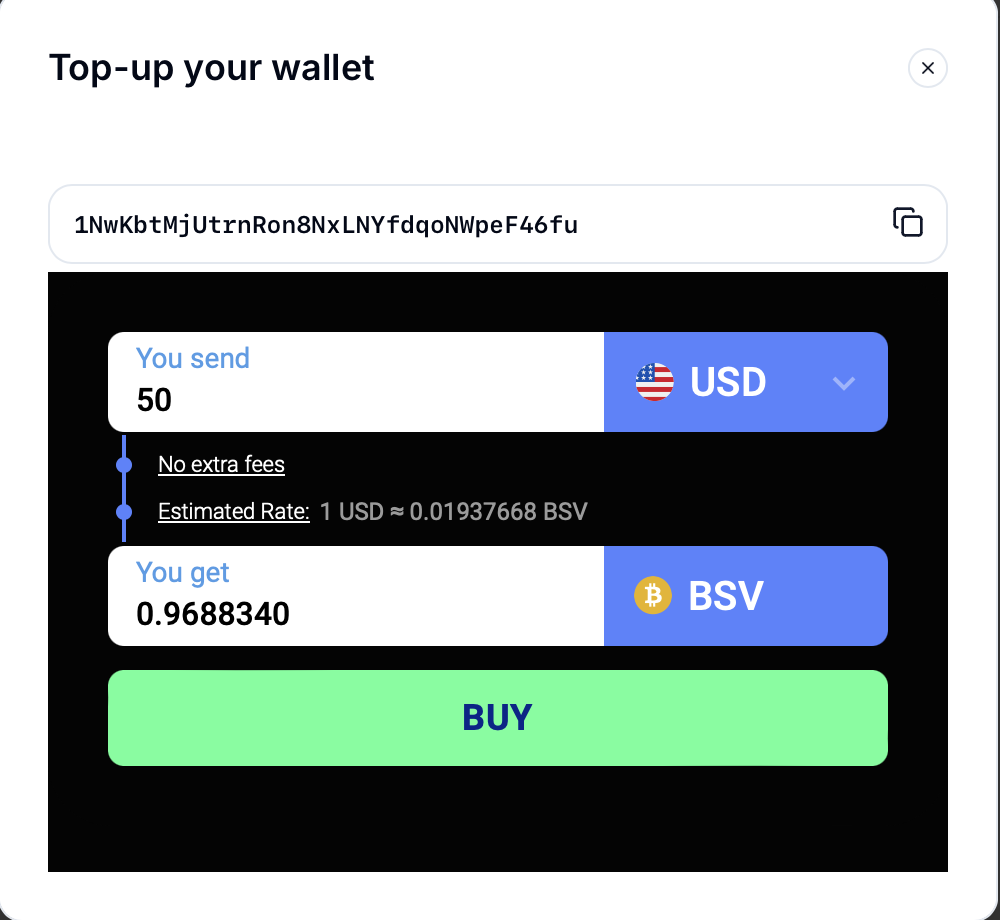
  const guardarianQueryParams: GuardarianQueryParams = {
    partner_api_token: NEXT_PUBLIC_GUARDARIAN_API_TOKEN,
    type: 'narrow',
    theme: 'blue',
    default_from_amount: 50,
    default_fiat_currency: 'USD',
    default_crypto_currency: 'BSV',
    crypto_currencies_list: '%5B%7B%22ticker%22%3A%22BSV%22%2C%22network%22%3A%22BSV%22%7D%5D',
    default_side: 'buy_crypto',
    side_toggle_disabled: true,
    calc_background: 'hex_040404',
    body_background: 'hex_040404',
    button_background: 'hex_57ff97',
    create_nav_behaviour: 'new_tab',
    without_box_shadow: true,
  };

  const letsExchangeQueryParams: LetsExchangeQueryParams = {
    affiliate_id: NEXT_PUBLIC_NEXT_EXCHANGE_AFFILIATE_ID,
    is_iframe: true,
  };

  const onOpenChange = (open: boolean) => {
    refreshBalances();
    setTimeout(() => setSelectedTopUpMethod(undefined), 500);
  };

  return (
    <AlertDialog onOpenChange={onOpenChange}>
      <AlertDialogTrigger asChild>{trigger}</AlertDialogTrigger>
      <AlertDialogContent className="w-full max-w-[500px] rounded-xl">
        <AlertDialogHeader className="flex flex-row justify-between items-center">
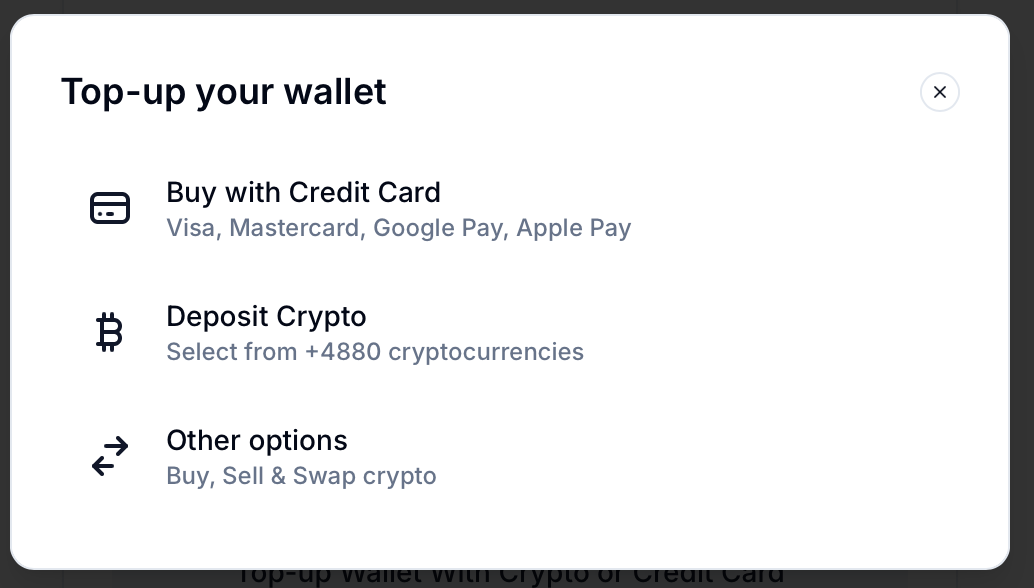
          <AlertDialogTitle>Top-up your wallet</AlertDialogTitle>
          <AlertDialogCancel className="p-1 w-5 h-5 !mt-0 rounded-full bg-white/10">
            <IconX />
          </AlertDialogCancel>
        </AlertDialogHeader>
        {!selectedTopUpMethod && (
          <div className="flex flex-col gap-y-0.5">
            <Button
              onClick={() => {
                setSelectedTopUpMethod('fiat');
              }}
              variant="ghost"
              className={cn(
                'h-14 flex items-center justify-start w-full px-3 py-3 md:px-3 md:py-3 mb-1 hover:cursor-pointer hover:bg-white/15 duration-200 transition backdrop-blur-md rounded-md border border-white/20',
              )}
            >
              <IconCreditCard className="mr-4 h-6 w-6 text-primary" />
              <div className="flex flex-col items-start">
                <p className="text-foreground">Buy with Credit Card</p>
                <p className="text-muted-foreground text-xs">Visa, Mastercard, Google Pay, Apple Pay</p>
              </div>
            </Button>
            <Button
              onClick={() => {
                setSelectedTopUpMethod('crypto');
              }}
              variant="ghost"
              className={cn(
                'h-14 flex items-center justify-start w-full px-3 py-3 md:px-3 md:py-3 mb-1 hover:cursor-pointer hover:bg-white/15 duration-200 transition backdrop-blur-md rounded-md border border-white/20',
              )}
            >
              <IconCurrencyBitcoin className="mr-4 h-6 w-6 text-primary" />
              <div className="flex flex-col items-start">
                <p className="text-foreground">Deposit Crypto</p>
                <p className="text-muted-foreground text-xs">Select from over 4,880 cryptocurrencies</p>
              </div>
            </Button>
            <a href="https://ramps.handcash.io" target="_blank" rel="noopener noreferrer">
              <Button
                variant="ghost"
                className={cn(
                  'h-14 flex items-center justify-start w-full px-3 py-3 md:px-3 md:py-3 mb-1 hover:cursor-pointer hover:bg-white/15 duration-200 transition backdrop-blur-md rounded-md border border-white/20',
                )}
              >
                <IconSwitchHorizontal className="mr-4 h-6 w-6 text-primary" />
                <div className="flex flex-col items-start">
                  <p className="text-foreground">Other options</p>
                  <p className="text-muted-foreground text-xs">Buy, Sell & Swap crypto</p>
                </div>
              </Button>
            </a>
          </div>
        )}
        {selectedTopUpMethod === 'crypto' && (
          <div>
            <div className="mb-4">
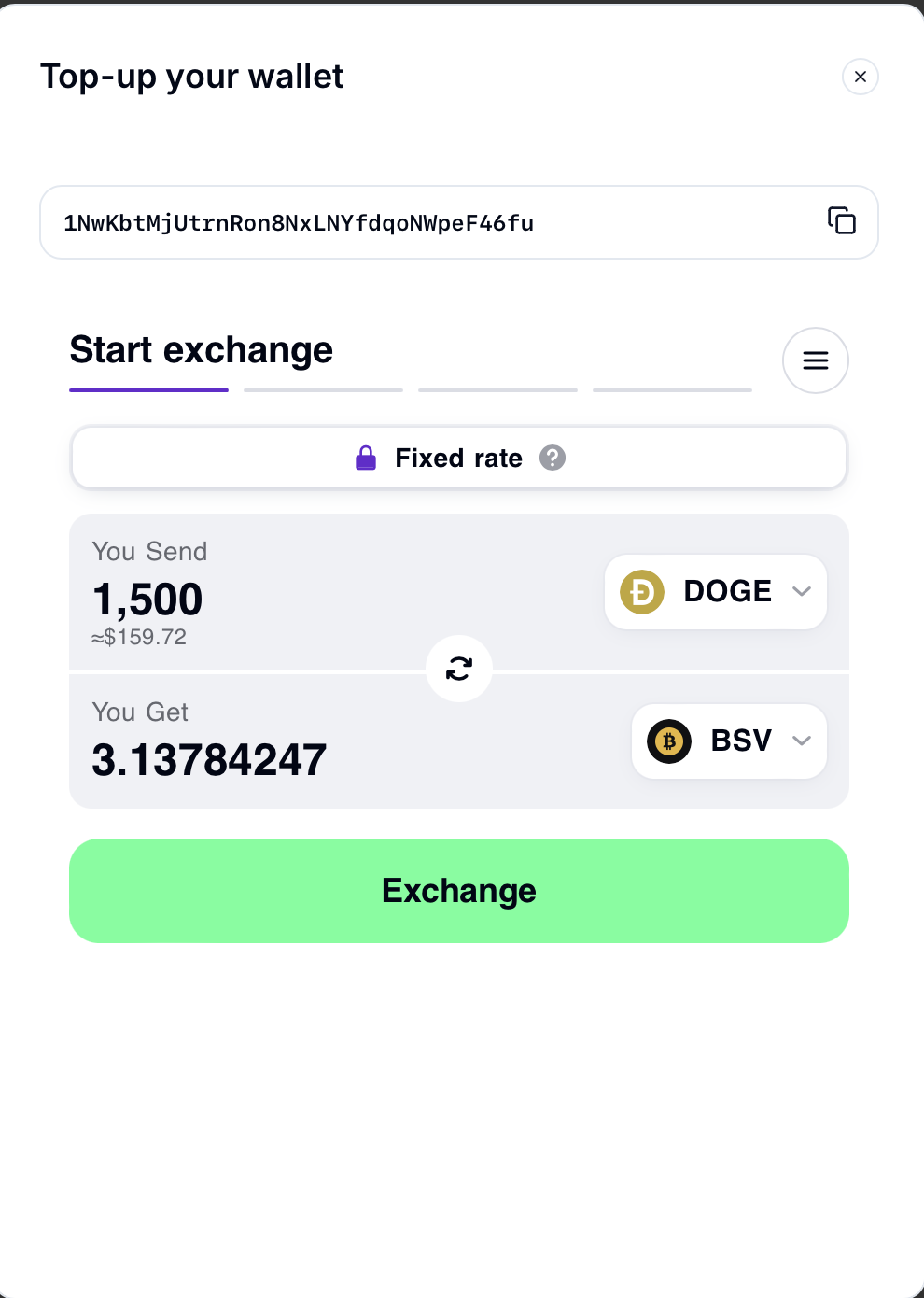
              <p className="flex items-center text-sm text-center text-white/80">Your BSV receiving address</p>
              <InputTextField className="rounded-xl" value={depositAddress} readOnly isMonotype isCopyContent />
            </div>
            <div className="lets-widget rounded-xl" id="lets_widget_ZOTVxWxEZxW6dcfS" style={{ maxWidth: '480px', height: '512px' }}>
              <iframe
                src={`https://letsexchange.io/v2/widget?${serializeQueryParams(letsExchangeQueryParams)}`}
                width="100%"
                height="100%"
                frameBorder="0"
                allow="clipboard-read; clipboard-write"
              ></iframe>
            </div>
          </div>
        )}
        {selectedTopUpMethod === 'fiat' && (
          <div>
            <div className="mb-0">
              <p className="flex items-center text-sm text-center text-white/80">Your BSV receiving address</p>
              <InputTextField className="rounded-xl" value={depositAddress} readOnly isMonotype isCopyContent />
            </div>
            <div className="lets-widget rounded-xl" id="lets_widget_ZOTVxWxEZxW6dcfS" style={{ maxWidth: '480px', height: '300px' }}>
              <iframe
                src={`https://guardarian.com/calculator/v1?${serializeQueryParams(guardarianQueryParams)}`}
                width="100%"
                height="100%"
                frameBorder="0"
                allow="clipboard-read; clipboard-write"
              ></iframe>
            </div>
          </div>
        )}
      </AlertDialogContent>
    </AlertDialog>
  );
}